How to Restore a Backup with Softaculous
There may come a time where you need to restore your website from a backup you created with Softaculous. Softaculous makes this relatively simple to accomplish in a few short steps. Note: While Softaculous allows you to create backups and restore them, you're limited to only two backups. We recommend using a backup solution like CodeGuard that will enable you to schedule regular backups and provides an even more straightforward restore process.
How to Restore a Backup
- Log in to cPanel.
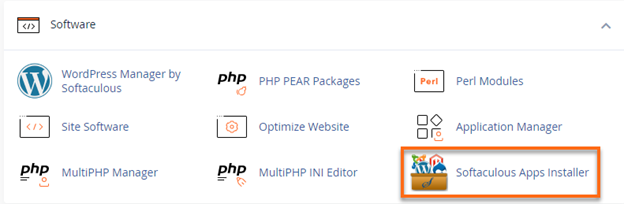
- Navigate to the Software section, then click on the Softaculous Apps Installer icon.
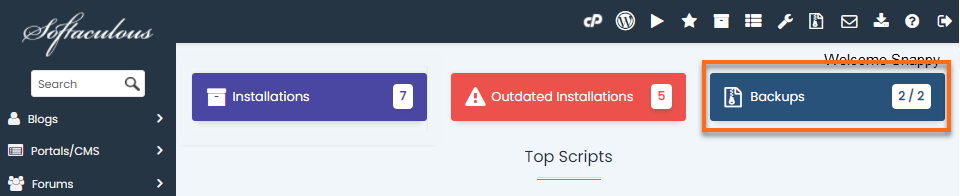
- At the top of the page, click on the Backups box.
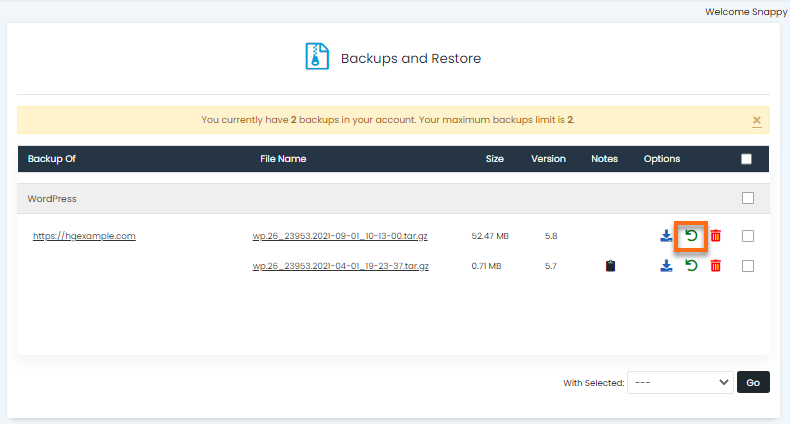
- Click the Restore icon next to the backup you want to use.
- Here you have three options. Restore Directory and Restore Database are selected by default.
Note : If you chose Full Backup when you created the backup, you could select the second box for Delete existing files/folders.
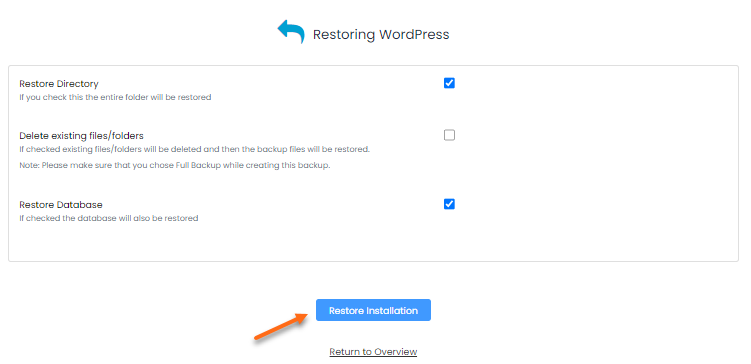
- Click the Restore Installation button, then click OK on the pop-up window to confirm the restore process.

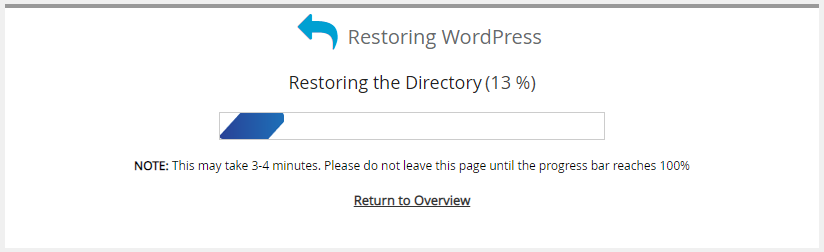
- You will see a status bar until the restore is complete.
- Once the restore has been completed, you will see a message like the one below, letting you know that it was completed successfully.

Congratulations! You've restored the backup to your live site.
- Did you have to restore because you made a change to the live site that didn't turn out well? Try creating a staging site to test out changes on a copy of your site without risking taking down your production website.
- Are you looking for other ways to restore a backup? Please check our How Do I Restore a Backup? article.