Hotlinking - Enable and Disable Hotlink Protection
Hotlink protection prevents other websites from directly linking to files and pictures on your website. Other sites will only link to file types that you don't specify. Sample scenario of hotlinking : Say I like the image on your website, and I want that image on my site. If I use the full URL of your image on my site, the image is downloading from your site every time someone looks at mine. This means I am using your bandwidth for the image. When you enable Hotlink Protection, I cannot steal your bandwidth anymore.
How to configure Hotlink Protection
To enable Hotlink Protection:
- Log in to cPanel.
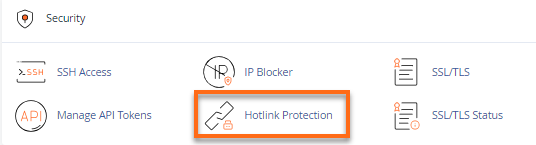
- Look for the Security section, then click Hotlink Protection.
- Make sure the domain name you wish to protect is in the box called URLs to allow access.
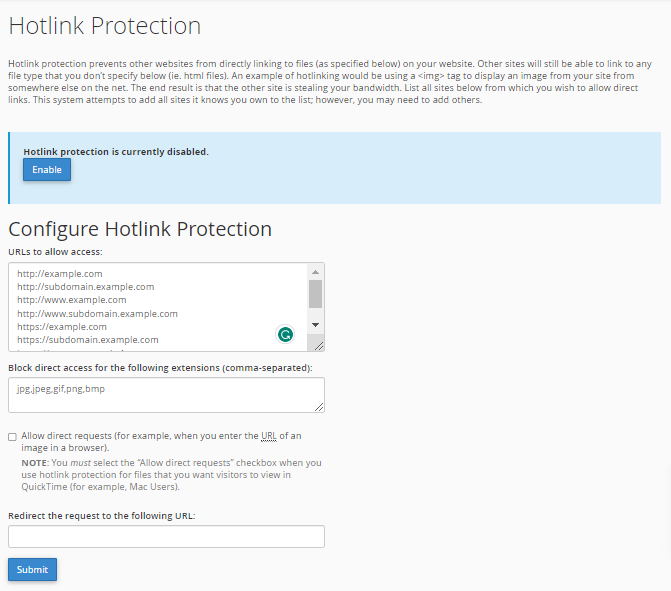
- If you're satisfied with the URLs and current settings, click the Enable button.
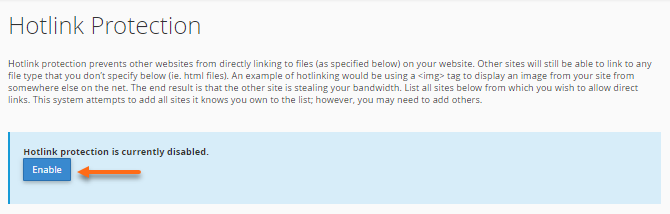 If you want to further configure the settings, proceed to Step 5 (without clicking the Enable button yet).
 - Provide the extensions you would like to block in the Block direct access for the following extensions (comma-separated).
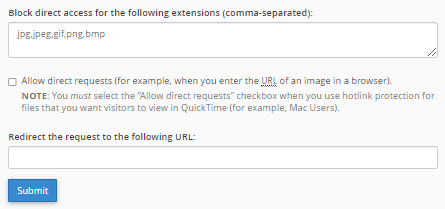
- Leave the Redirect the request to this URL box blank unless you want outside users to be redirected to another page. If yes, input the destination URL.
- Hit Submit.
- A successful confirmation page will appear.
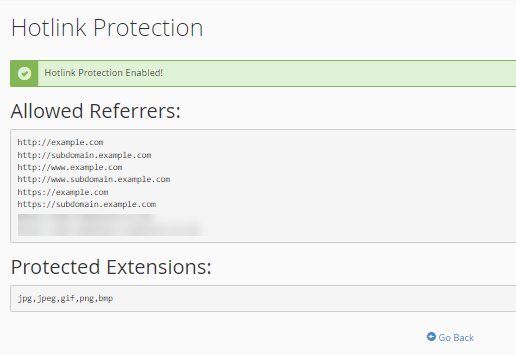
- Click Go Back.
To disable Hotlink Protection:
- On the Hotlink Protection page, click Disable.
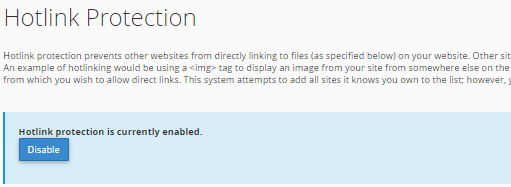
- A confirmation page will be displayed.

You have now protected your images from being hotlinked. Just be sure that all of your additional domains are on the Hotlink list. WARNING: If your images stop working, you may need to check your HTML source code for a common problem. Some website designers (or programs) may decide to use absolute pathnames for your images. That means, instead of a relative path like "/images/pic.jpg," it will use the entire URL like "http://www.domain.com/images/pic.jpg." You must have that exact protocol and domain name listed in your allowed URLs ("URLs to allow access"). If there is any slight difference in the protocol (http://) or the domain name (domain.com/) between the allowed list and the HTML source code, then your images will be blocked. Note: Some firewalls (such as Symantec's Norton Internet Security and ZoneAlarm) will block a special referrer variable in order to add more user privacy. HotLink protection works with this variable to tell where the request is coming from. As such, Hotlink isn't the best solution to avoid bandwidth theft, as it will eventually block legitimate requests from visitors using one of those firewalls. Unfortunately, this issue is not under our control, and there's nothing we can do to prevent it from blocking legitimate visitors. Use it at your own risk.