Canadian Tax Exemption
We're excited to announce that you can now easily add tax exemptions to your account. Starting August 1, 2024, we will begin collecting Canadian indirect taxes for all orders. If you qualify for a tax exemption, please log in to the Customer Portal and navigate to your profile. How to Add a Tax Exemption
- Log in to theCustomer Portal.
- Go to your Profile. Click the person icon on the upper-right corner.

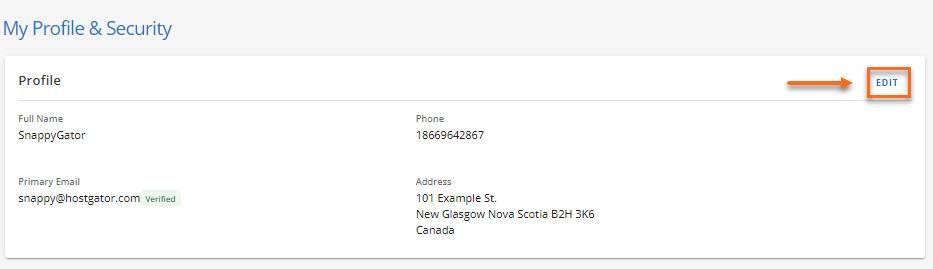
- Click the Edit link on the right hand-side.
- Look for the Tax Certificate Number (Optional) field.

- Enter your Tax Certificate Number , then click the Save button.
Please note: For customers located in Quebec, you can add both a federal exemption and a Quebec Sales Tax (QST) exemption. The QST exemption field will only appear if your state is Quebec. Providing us with your tax exemption information will help ensure accurate billing and avoid unnecessary charges to your account. Please contact us via phone or chat for assistance if you have any questions or encounter issues while adding your tax exemption.