How to Install WHMCS
- WHMCS Guide
- WHMCS Overview
- WHMCS Addons
- WHMCS Installation

How to Get a WHMCS License
HostGator no longer offers a free WHMCS license. You can purchase a WHMCS license directly from https://whmcs.com. Please ensure your domain name resolves to your hosting account before requesting your license. This typically requires changing the name servers for your domain to our name servers at your registrar.
How to Install WHMCS
There are two methods for installing WHMCS:
- Softaculous ⤵
- Manual Installation ⤵
Softaculous
You can easily install WHMCS using the cPanel software application. Please see the instructions below.
- Log in to your Customer Portal. You may also access your cPanel directly.
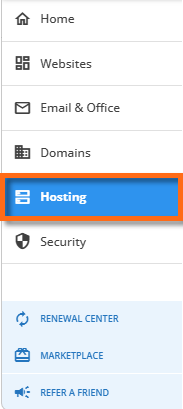
- Click Hosting in the left-side menu.
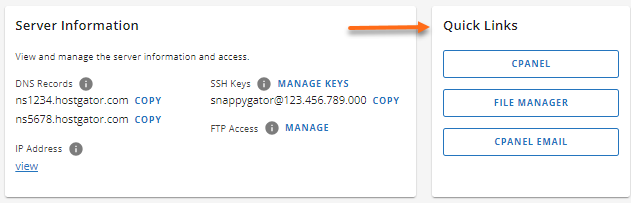
- If you have a single hosting package in your account, scroll down to the Quick Links section.
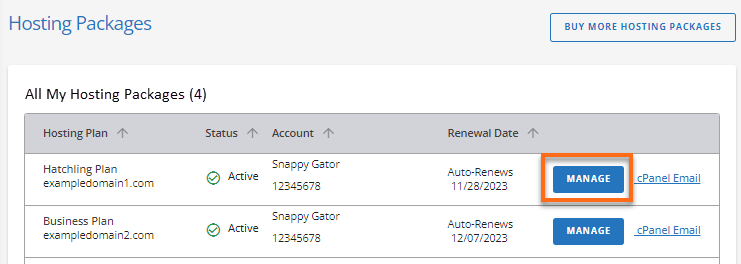
If you have multiple hosting packages in your account, locate the hosting package you want to manage, then click its Manage button.
 4. Under the Quick Links section, click the CPANEL button.
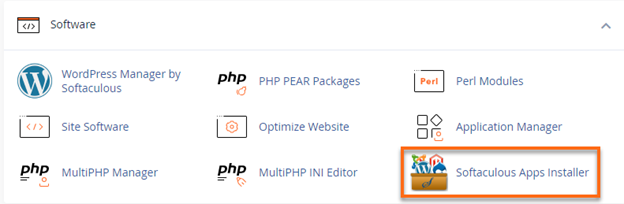
 5. Look for the Software section, then click the Softaculous Apps Installer icon.
 6. Using the search bar on the top left menu, search for WHMCS , which is found under Ecommerce.
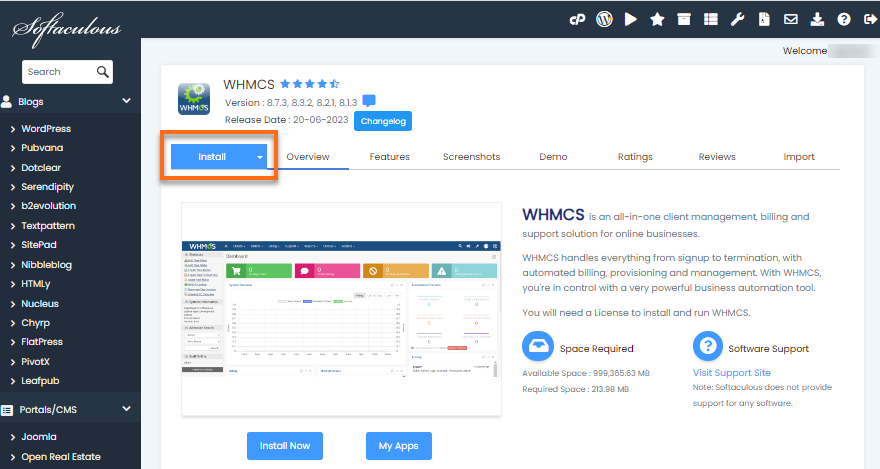
 7. On the WHMCS page, click the Install tab.
 8. Fill out the installation form.
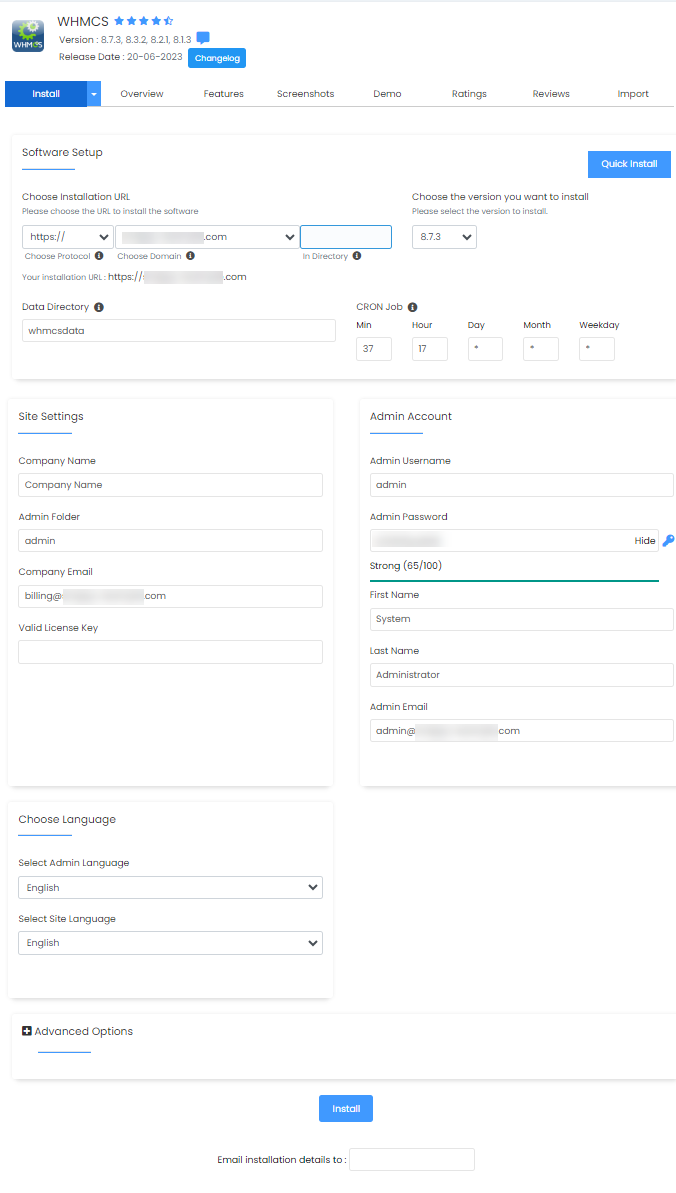 9. Once done filling out the required fields, click Install at the bottom page.
Congratulations! WHMCS is now set up.
Manual Installation
If you prefer manually installing WHMCS, you need to download this application from https://www.whmcs.com/members/clientarea.php. You may visit this article for detailed instructions.
- How to Manually Install WHMCS
If you're looking for a consolidated guide of WHMCS-related articles, please check out the WHMCS Guide. Need further assistance? Please reach out to our Support team via phone or chat so we can assist you!