Logging Into WordPress With HostGator
WordPress, being the most popular platform used to create 42% of websites, allows its users to create posts, add pages, use various themes/plugins, manage their shopping cart, and access additional features through its own dashboard. Using your HostGator WordPress login, you can get access to your dashboard and make the necessary updates on your website. There are two options for logging into WordPress with HostGator. Here's how.
- Option 1: Via Customer Portal ⤵
- Option 2: Via wp-admin (Direct Login) ⤵
Option 1: Via Customer Portal
WordPress Single Sign-On (SSO) feature is only available to new Shared hosting customers who used the One-Click method to create a new WordPress site.
- Log in to your Customer Portal.
- In the left side menu, navigate toWebsites , then clickEdit Site.
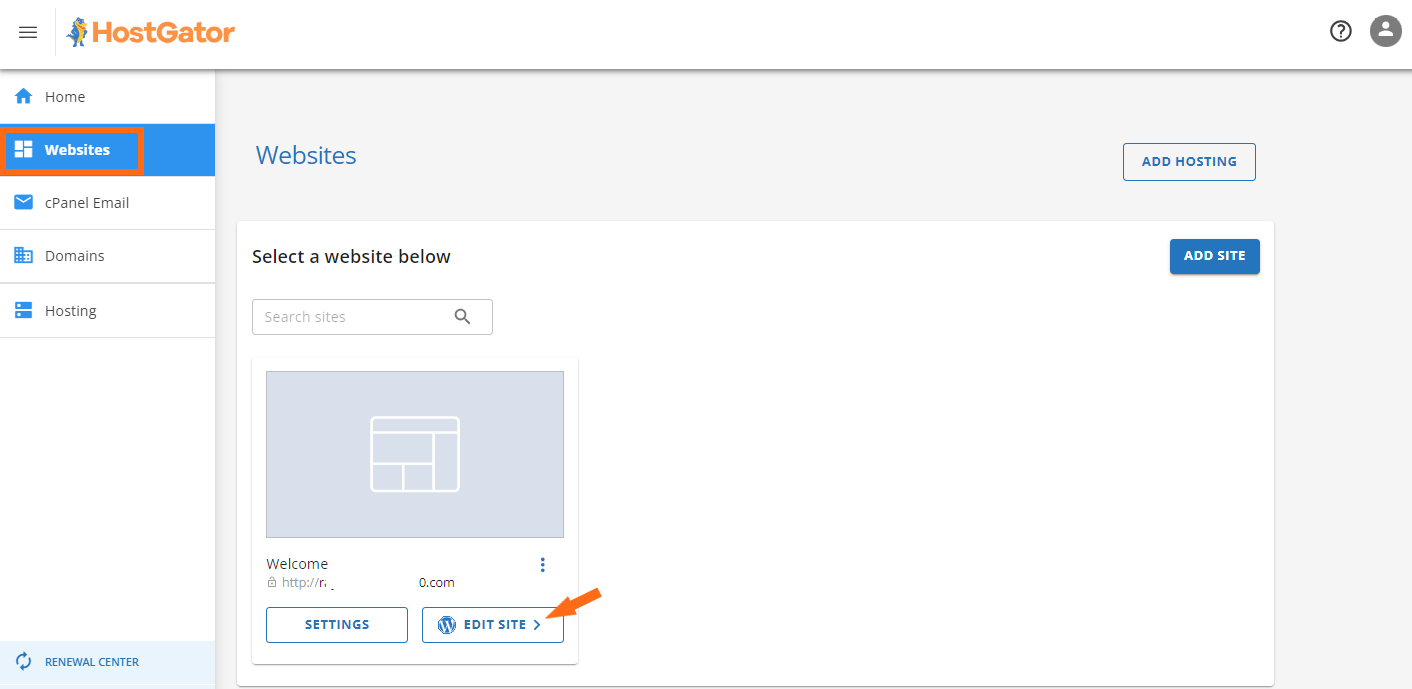
- The WordPress Dashboard login page will be shown on the next page.
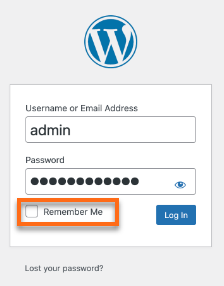
- Enter yourWordPress Admin username and password****. Click on the checkbox Remember Me , then clickLog In. Note : You will be automatically logged in to your WordPress Dashboard when you click the Remember Me checkbox.
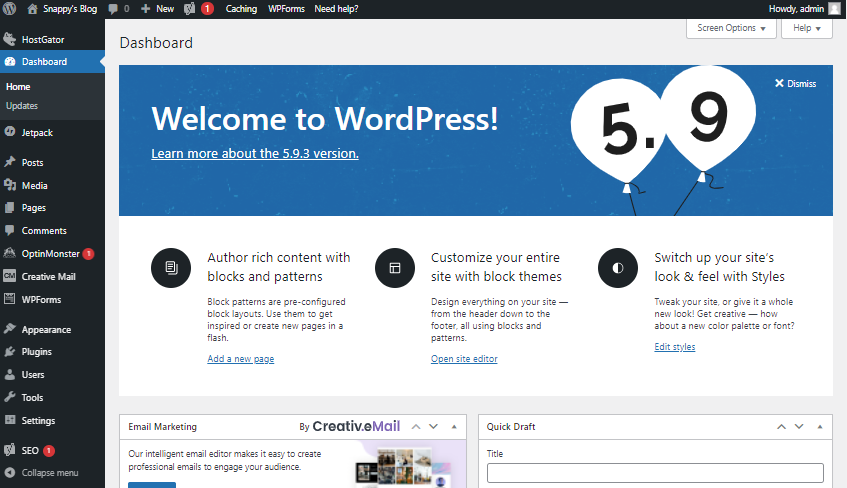
- You are now logged in to yourWordPress Dashboard.
Option 2: Via wp-admin (Direct Login)
This method allows you to access your dashboard directly using your domain name and WordPress logins. There is no need to log in to your HostGator Customer Portal or cPanel to access the WordPress dashboard.
If you are hosting with us, please make sure that your domain is already connected to HostGator.
 Main Domain
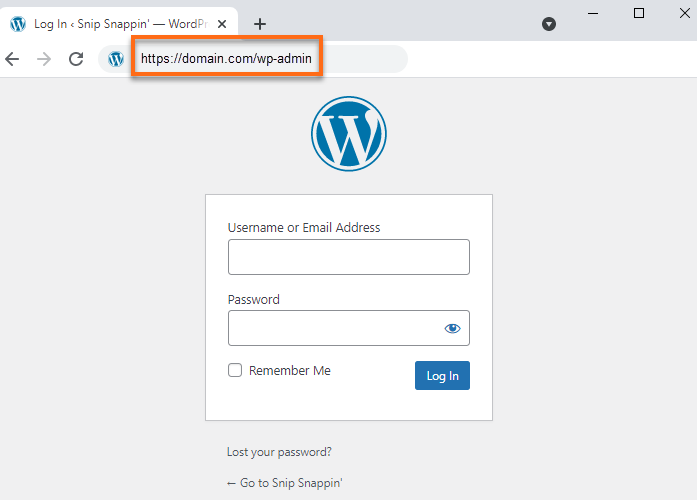
Visit the WordPress dashboard by launching your browser and going to your domain with /wp-admin at the end.
Format : (Please replace 'domain' with your actual domain name.)
http://domain.com/wp-admin
Sub-Directory
If you installed WordPress to a sub-directory, use your domain followed by a forward-slash, then the sub-directory with /wp-admin at the end.
Format : (Please replace 'domain' with your actual domain name and 'subdirectory' with the actual sub-directory you used during installation.)
http://domain.com/subdirectory/wp-admin
Helpful WordPress Resources
- How Do I Point My Existing Domain to HostGator? - Use this article to point your domain to HostGator.
- How to Install WordPress With Softaculous - Visit this article if you are installing WordPress.
- WordPress Themes vs. WordPress Page Builders: Which Is Right for You? - Find out what option is best for you and the difference between a theme and page builder in WordPress.