HostGator - How to Purchase YITH WooCommerce Plugins
- YITH Overview
- YITH Manage
- YITH Plugins
- AJAX Product Filter
- Bookings & Appointments
- Gift Cards
- PayPal Payments
- Shippo Shippings
Elevate your online store with YITH WooCommerce solutions! HostGator offers the following eCommerce solutions, which are all available within the Customer Portal's Marketplace.
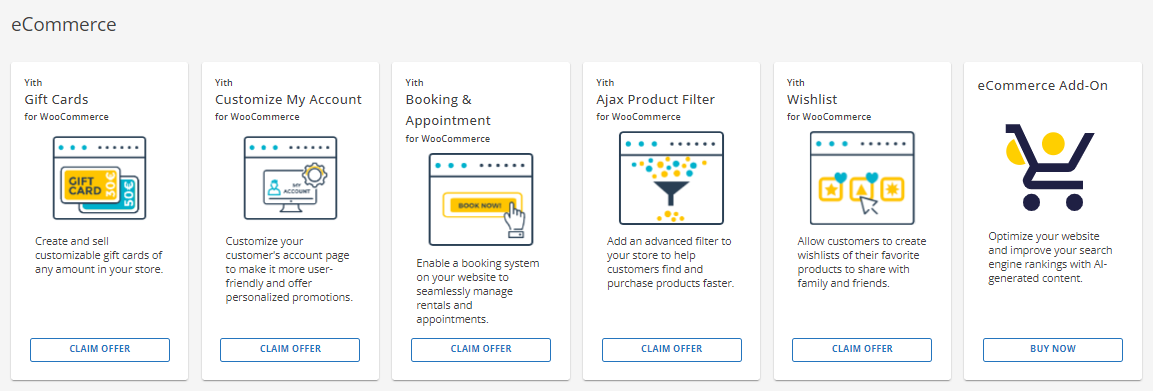
| YITH WooCommerce Gift Cards | Create and sell customizable virtual gift cards. Customers can send personalized gifts to friends and family without the hassle of product selection. |
|---|---|
| YITH WooCommerce Customize My Account Page | Add unlimited menu entries, showcase relevant content (order history, coupons, surveys), and promote products directly to engaged customers. |
| YITH Booking and Appointment for WooCommerce | Manage appointments, rentals, and bookings. |
| YITH WooCommerce Ajax Product Filter | Build and customize filters for your product pages, catering to specific categories or pages. Organize products into unlimited filter sets for targeted browsing. |
| YITH WooCommerce Wishlist | Enable your customers to track products, monitor price and availability, and receive personalized recommendations. |
| eCommerce Add-On | Transform your website and sell like a pro with exclusive plugins and eCommerce tools. |
| To add the YITH WooCommerce products to your WordPress website: |
- Log in to your Customer Portal.
- Click MARKETPLACE on the left-hand menu.
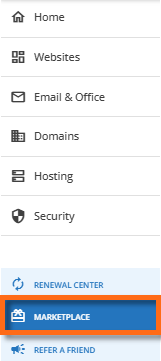
- On the right pane, scroll down to the eCommerce section.
- Select your YITH WooCommerce plugin and click its CLAIM OFFER button.
- In the pop-up window, select your website from the dropdown. This is the website where the YITH WooCommerce product will be applied.
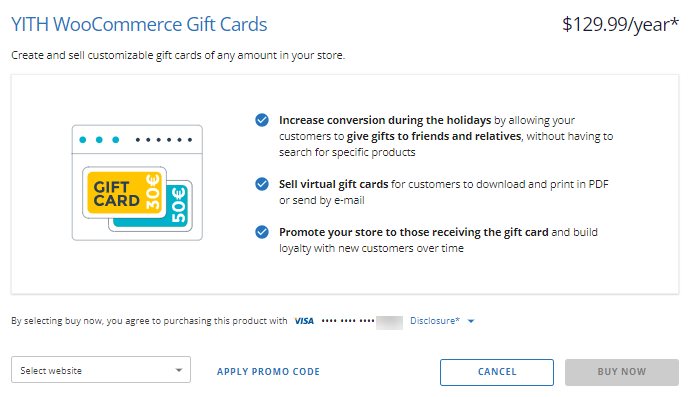
- Please make sure you have a payment method saved on file. If available, you may also add a promo code.
- Click the BUY NOW button to finalize your payment.