HostGator Style for cPanel
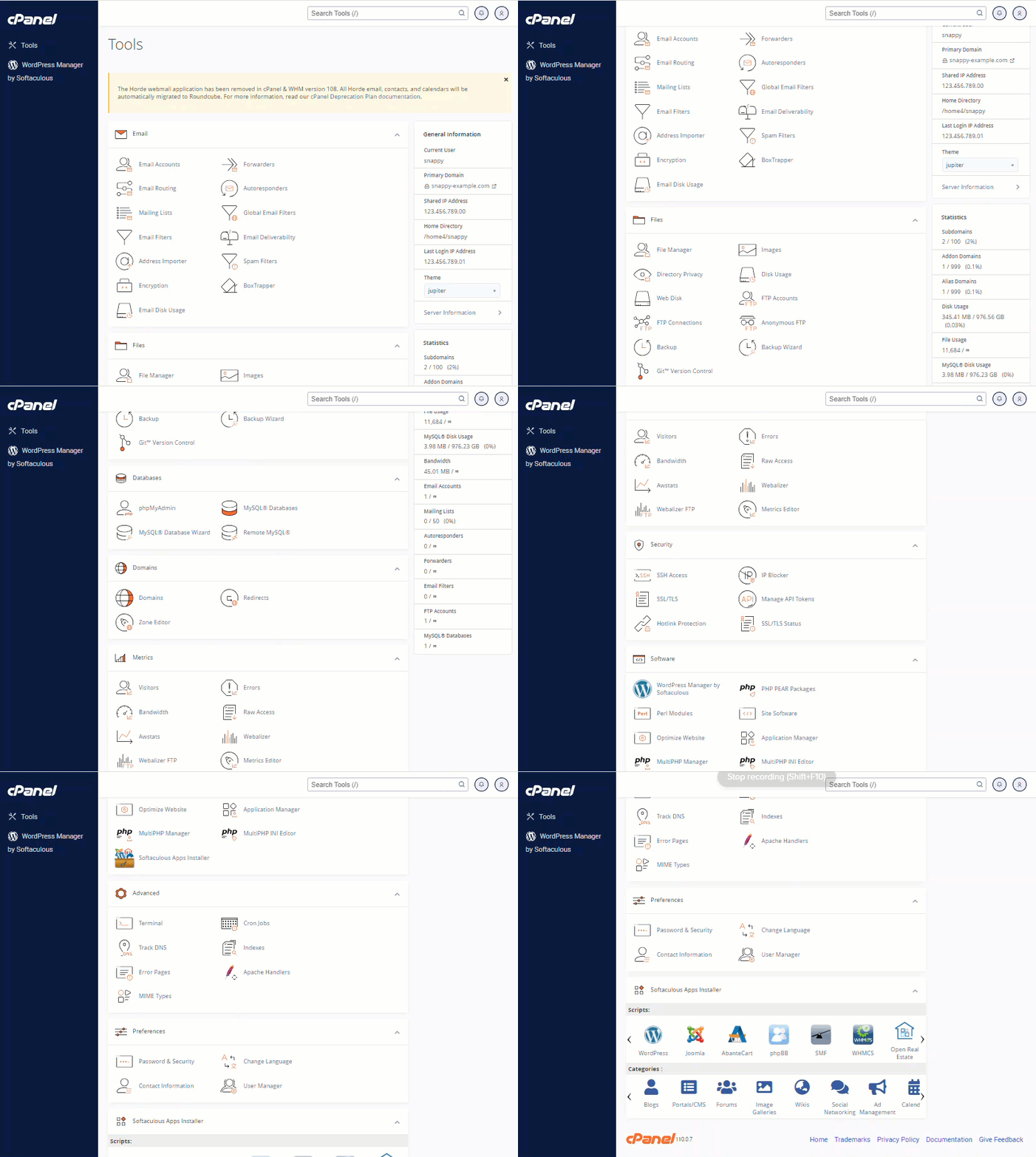
To provide the best possible experience in web hosting, some features were removed or moved from cPanel. The HostGator cPanel default theme, Jupiter, gives cPanel a new look that provides an easy-to-use format with features grouped into categories that makes it easier for new users to find the tools they need while not losing the familiarity and feel of navigation for experienced users.
To provide the best possible experience in web hosting, some features were removed or moved from cPanel. The HostGator cPanel default theme, Jupiter, gives cPanel a new look that provides an easy-to-use format with features grouped into categories that makes it easier for new users to find the tools they need while not losing the familiarity and feel of navigation for experienced users.
Below is a snapshot of the new Jupiter cPanel theme at HostGator.
Domains
With the current cPanel interface, use the Domains section in adding or managing an addon domain, subdomain, or alias.

Emails
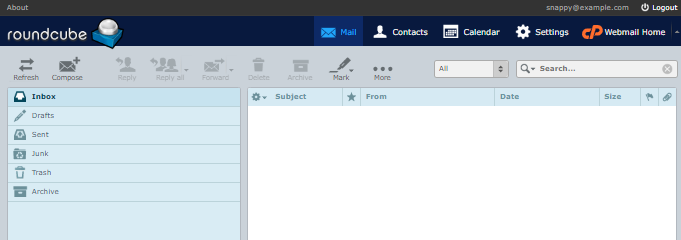
The cPanel update has removed the Horde webmail application. However, the Horde calendar and contacts are automatically migrated into the Roundcube application.
cPanel Features & Recent Updates
Here are some changes you may notice in cPanel with the current default theme, Jupiter.
| Categories | Features | Recent Update |
|---|---|---|
| General Information |
- Current User
- Primary Domain
- Shared IP Address or Dedicated IP Address
- Home Directory
- Last Login IP Address
- Theme*
- Server Information
- Statistics
| *The cPanel's default theme is Jupiter.
Emails |
- Address Importer
- Autoresponders
- Box Trapper
- Email Accounts**
- Email Deliverability
- Email Disk Usage
- Email Filters
- Email Routing
- Encryption
- Forwarders
- Global Email Filters
- Mailing Lists
- Spam Filters
| **With the current cPanel version, the Horde email application will no longer be available. However, you can still use the webmail application, Roundcube.
Files |
- Anonymous FTP
- Backup
- Backup Wizard
- Directory Privacy
- Disk Usage
- File Manager
- FTP Accounts
- FTP Connections
- Git™ Version Control
- Images
- Web Disk
| -
Databases |
- MySQL® Databases
- MySQL® Databases Wizard
- phpMyAdmin
- Remote MySQL®
| -
Domains |
- Domains***
- Redirects
- Zone Editor
| ***Addon domains, Subdomains, and Alias management are now created and managed within the Domains section.
Metrics |
- Awstats
- Bandwidth
- Errors
- Metrics Editor
- Raw Access
- Visitors
- Webalizer
- Webalizer FTP
| -
Security |
- Hotlink Protection
- IP Blocker
- Manage API Tokens
- SSH Access
- SSL/TLS
- SSL/TLS Status
| -
Software |
- Application Manager
- MultiPHP INI Editor
- MultiPHP Manager
- Optimize Website
- Perl Modules
- PHP PEAR Packages
- Site Software
- Softaculous Apps Installer
- WordPress Manager by Softaculous
| -
Advanced |
- Apache Handlers
- Cron Jobs
- Error Pages
- Indexes
- MIME Types
- Track DNS
- Terminal
| -
Preferences |
- Change Language
- Contact Information
- Password & Security
- User Manager
| -
Softaculous Apps Installer |
- Categories****
- Scripts****
| ****A variety of scripts and Content Management Systems (CMS) are available and are divided into Categories.
Please visit the following articles to learn more about cPanel and its features.
- A Beginner's Guide to cPanel
- How to Log in to cPanel
If you're looking for external cPanel documentation, please visit the official cPanel user guide.
- cPanel Documentation