Connect a Domain Name via the Websites Tab
Learning how to connect a domain name to a hosting account ensures your website becomes visible online when someone types in your domain. In this guide, you'll learn how to add a new domain or link an existing one using the Websites tab in your HostGator Customer Portal. Here are the topics discussed in this article.
- Connect a Domain Name ⤵
- Common Issues When Connecting a Domain Name ⤵
Connect a Domain Name
Before connecting, ensure your domain is registered with HostGator or correctly pointed to our nameservers. For a seamless experience, consider transferring your domain to us.
- Log in to your Customer Portal.
- Click on the Websites tab from the main navigation menu.
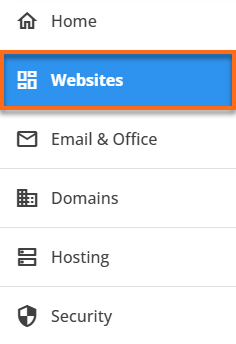
- You can connect a domain in two ways: by creating a new website or by linking it to an existing one.
Option 1: Add a Domain While Creating a New Site
- Click Add Site.
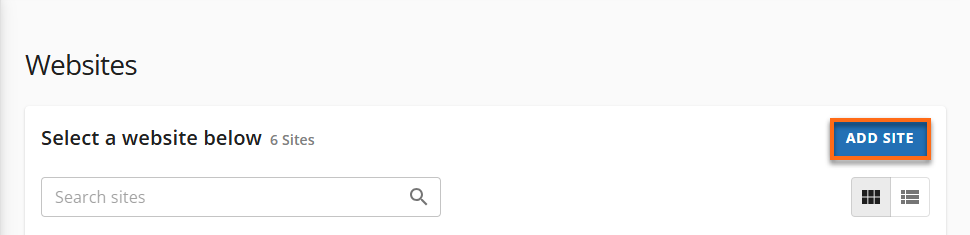
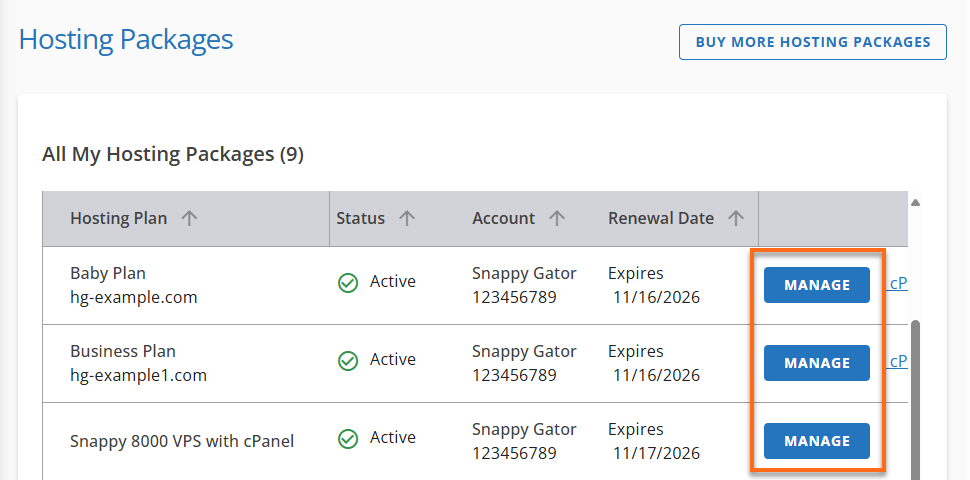
- It will direct you to the Hosting tab. Select the package where you want to install the new site.
- Select Manage.
- Click Add Site.
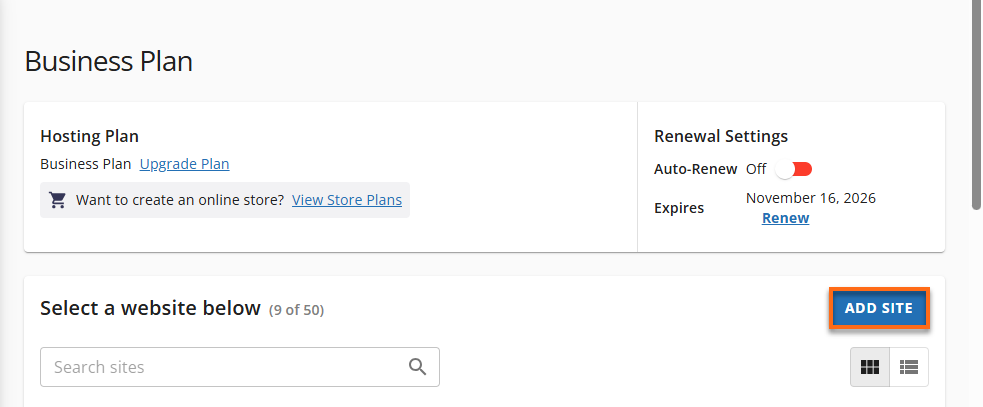
- Follow the guided steps to set up your site.
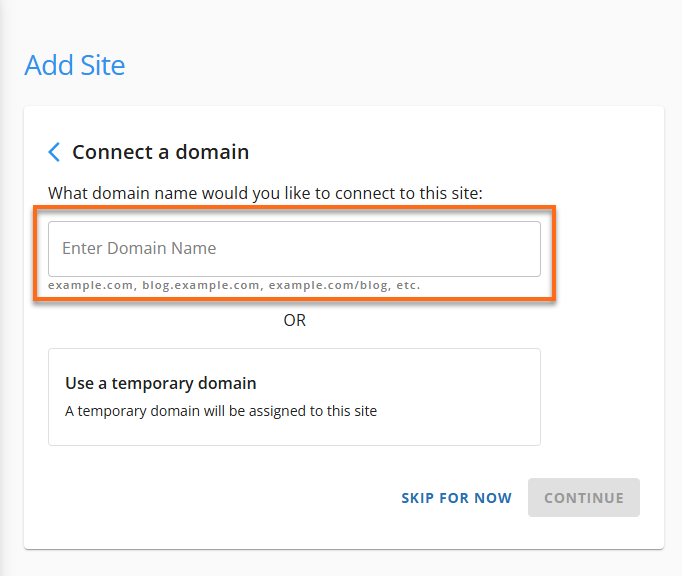
- When prompted, enter the domain you want to connect to.
- Enter the domain you want to connect to and complete the setup.
Option 2: Add a Domain to an Existing Site
- Locate the website to which you want to add the domain.
- Click Setting s next to the site.
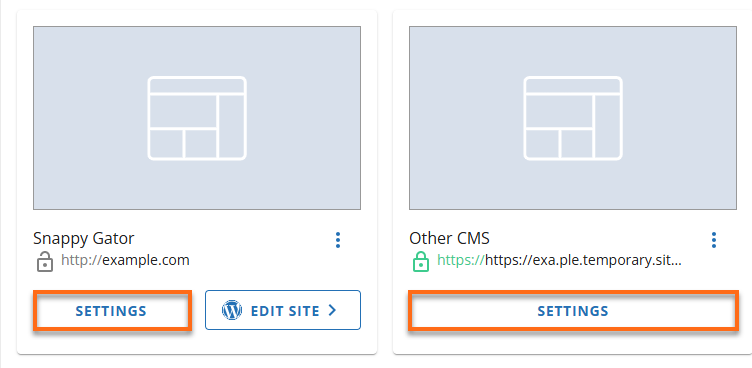
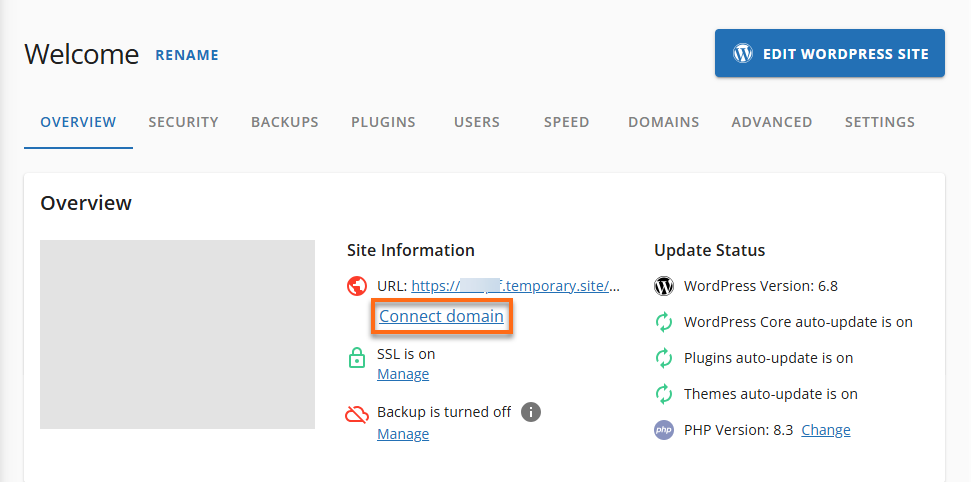
- In the Site Information section, choose:
- Connect domain (if this is your first time) and then proceed to step 5 or.
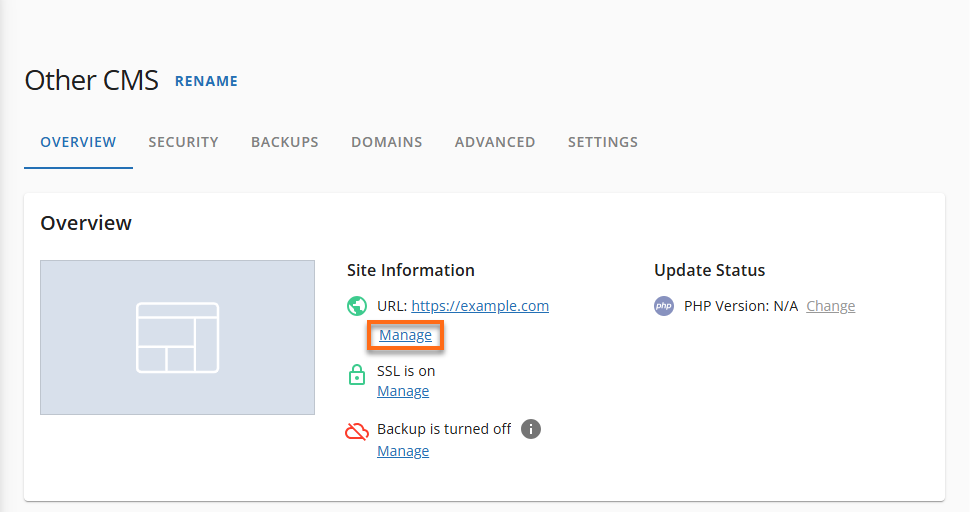
- Manage (to add another domain) and then proceed to step 4.
- Click Add Domain.
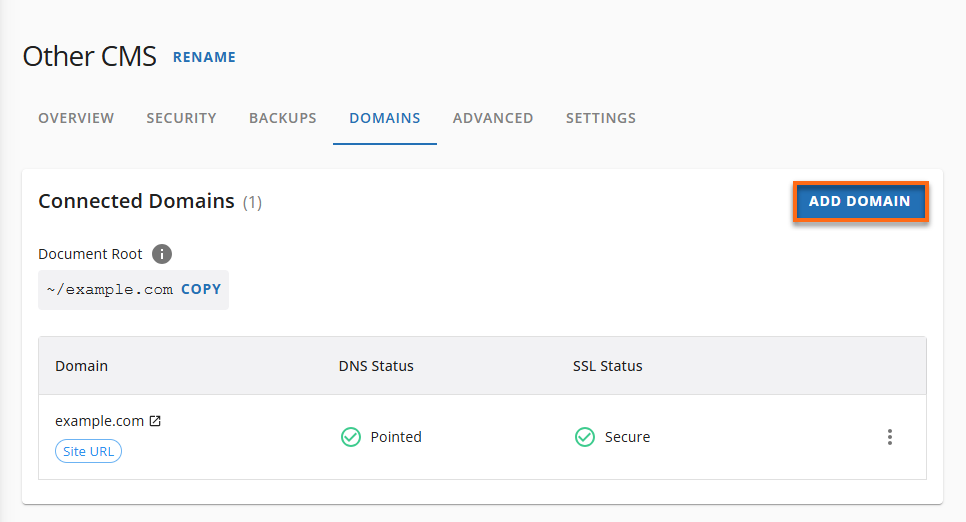
- Enter a domain name to connect.
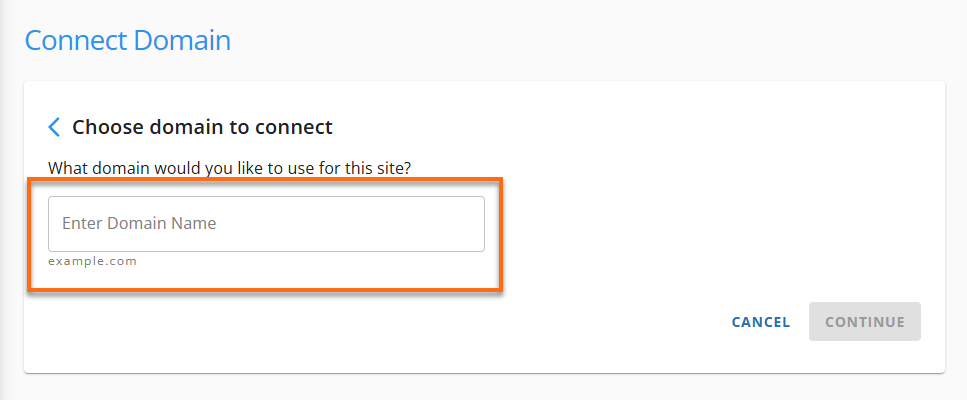
- Enter the domain name and click Continue to confirm.
Common Issues When Connecting a Domain Name
Issue 1: Domain Not Found or Unavailable
✔ Check for typos orregistration status. Make sure the domain is active and not expired.
Issue 2: DNS Not Propagated
✔ Allow 24–48 hours for DNS changes topropagate. Use tools like What's My DNS to track progress.
Issue 3: Domain Not Pointed to Correct Nameservers
✔ Update your domain's nameservers to point to HostGator. Refer to your registrar or our nameserver guide .
Issue 4: Domain Already Connected to Another Site
✔ Disconnect the domain from the other hosting account or contact support to free it up.
Issue 5: Transfer Still in Progress
✔ Wait until the domain transfer (typically 5–7 days) is complete before connecting.
Related Articles
- Choosing Your Domain Name
- Registering a Domain Name with HostGator
- How do I point my existing domain to HostGator?
- Transfer Domain Name Registrations to HostGator
- What is DNS Propagation?
Need further assistance? Please reach out to us via phone or chat so we can assist you.