Customer Portal - PayPal Billing Agreements
PayPal Billing Agreements allow you to use your PayPal account for any charges to your account, the same way you can use a credit card. This guide will walk you through the process of creating a new agreement. Please click the links below to jump to a section.
- Create a PayPal Billing Agreement↴
- Manage PayPal Billing Agreements↴
Create a PayPal Billing Agreement
You can create a billing agreement any time you purchase a new product or service, allowing you to make your first payment via PayPal by selecting to use the PayPal Agreement.
 Additionally, you can create a PayPal agreement directly from your Customer Portal without an invoice using the following steps:
How to Create a Billing Agreement
Additionally, you can create a PayPal agreement directly from your Customer Portal without an invoice using the following steps:
How to Create a Billing Agreement
- Log in to your HostGator Customer Portal.
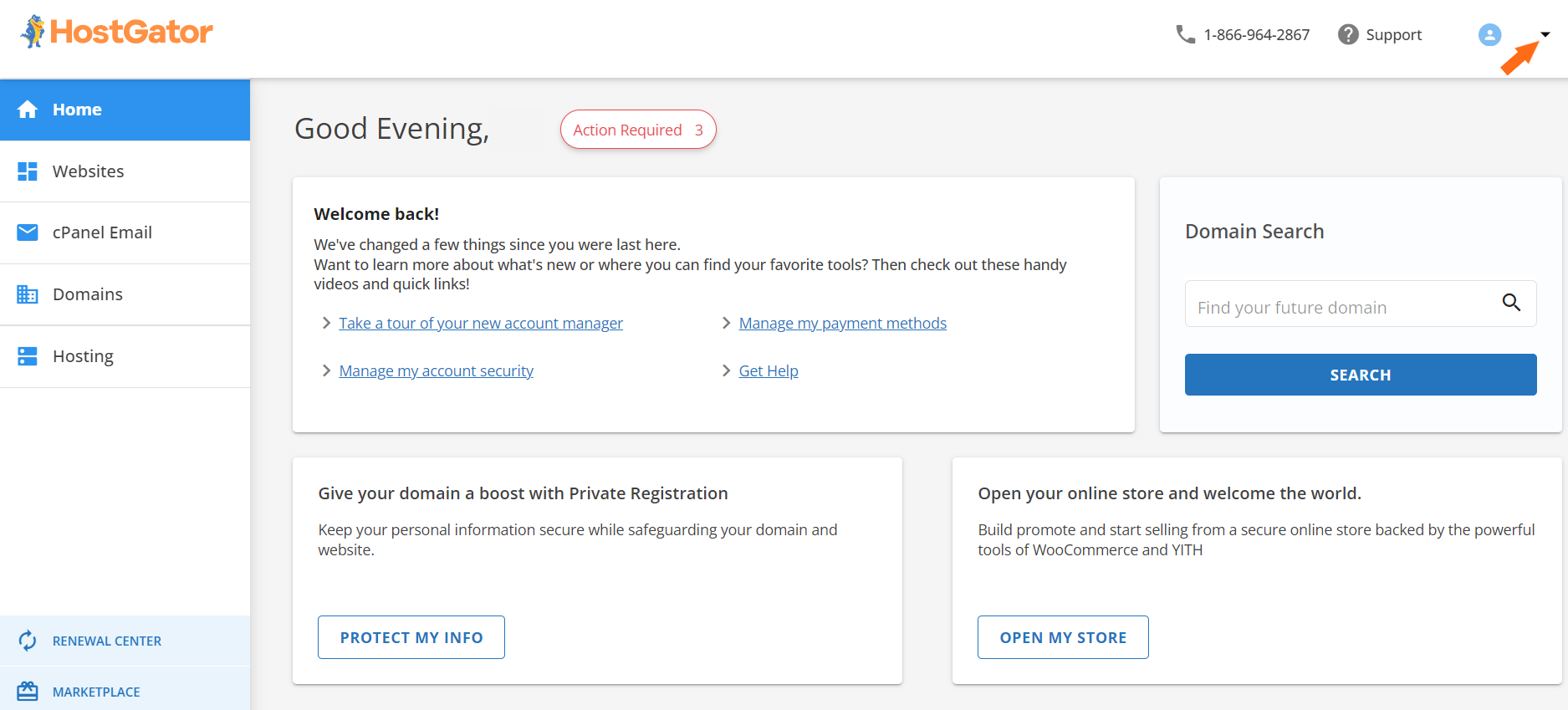
- Click the dropdown at the top right.
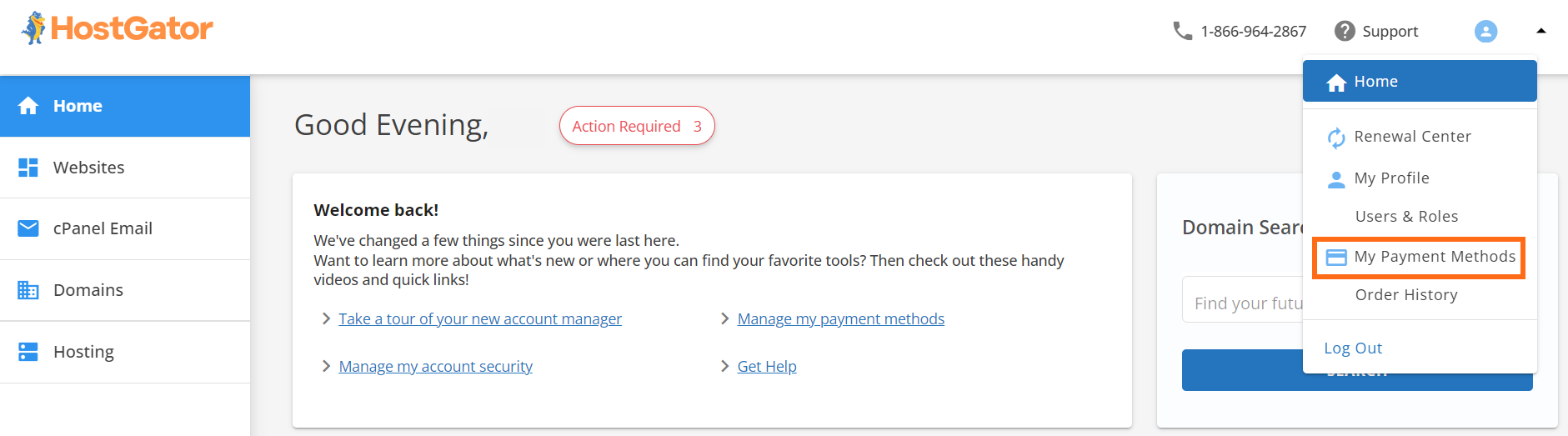
- Select My Payment Methods.
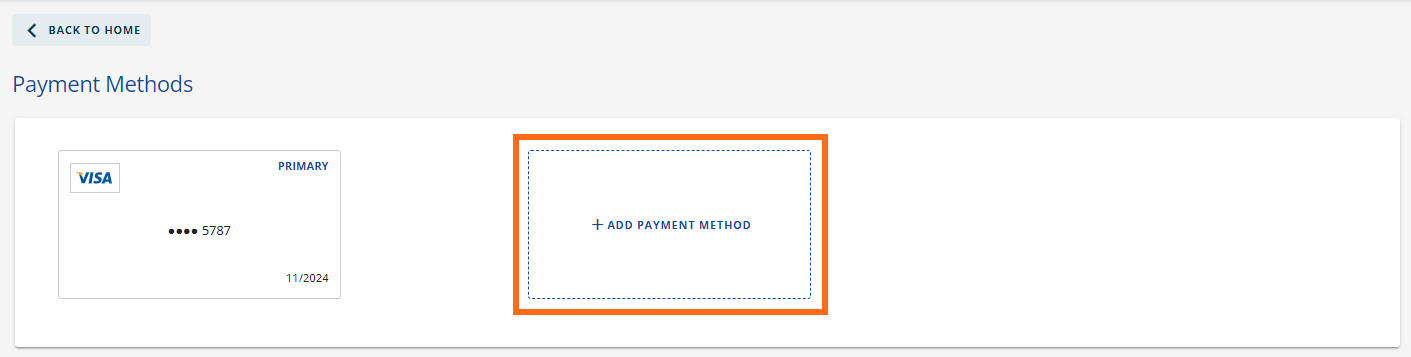
- Click + ADD PAYMENT METHOD.
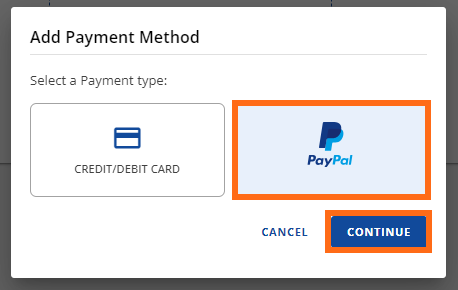
- Select PayPal and click CONTINUE.
- Log in to PayPal when the pop-up opens.
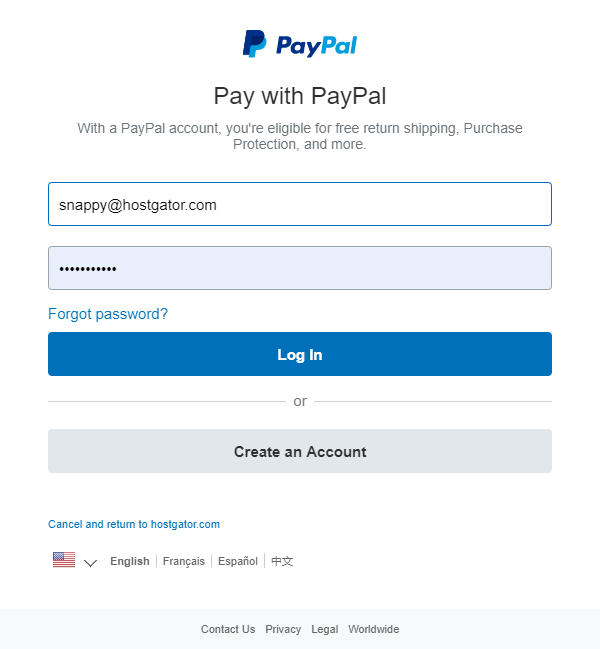
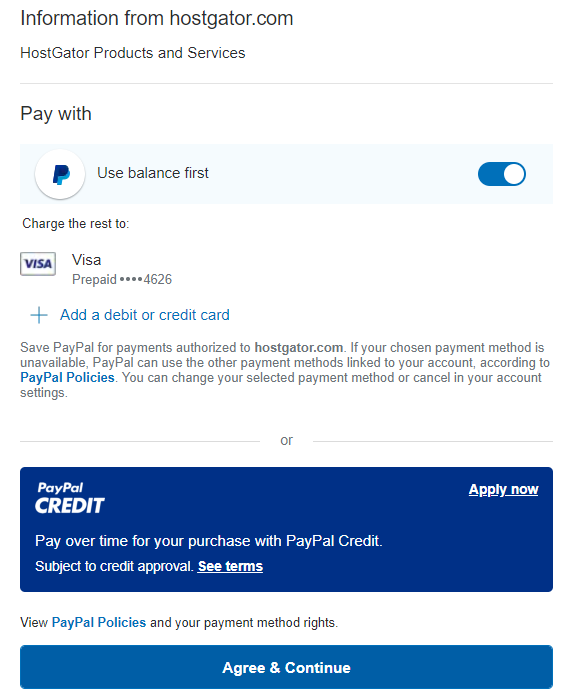
- You must confirm how you want your invoices paid on the next screen.
- If you want to use your PayPal account balance, Use balance first is toggled On by default.
- Underneath Charge the rest will display the card to which the remaining balance will be applied if there is not enough in your PayPal account to cover your invoice.
- If you want to use a different card, you can click + Add a debit or credit card and complete the steps to add a card.
- Your final option is to apply for PayPal Credit by clicking Apply now and completing the steps.
Once you're done selecting your payment options, click Agree & Continue.
 8. You have successfully created a PayPal billing agreement, and you should be redirected to your Customer Portal!
Manage PayPal Billing Agreements
If you create a PayPal billing agreement and need to make any changes to how you're charged or want to discontinue using it with your %%BRAND%% account, you will have to go to PayPal's website or use their mobile app. If you're trying to cancel a PayPal agreement, we have created this guide on How to Unsubscribe via PayPal to walk you through the process via a desktop browser, mobile browser, and the PayPal app. Need additional assistance? HostGator Support is here to help. Please contact us via phone or chat so we can assist!